Best Macbook For The Money 2024: Your Ultimate Guide
When it comes to premium laptops, Apple’s MacBooks are hard to beat. But with several models and configurations to choose from, finding the best MacBook for your money in 2024 can be a bit overwhelming. Whether you’re a student, professional, or casual user, there’s a MacBook that offers the perfect balance of performance and value for your needs. Here's a breakdown of the best MacBooks for the money in 2024, to help you make an informed decision.
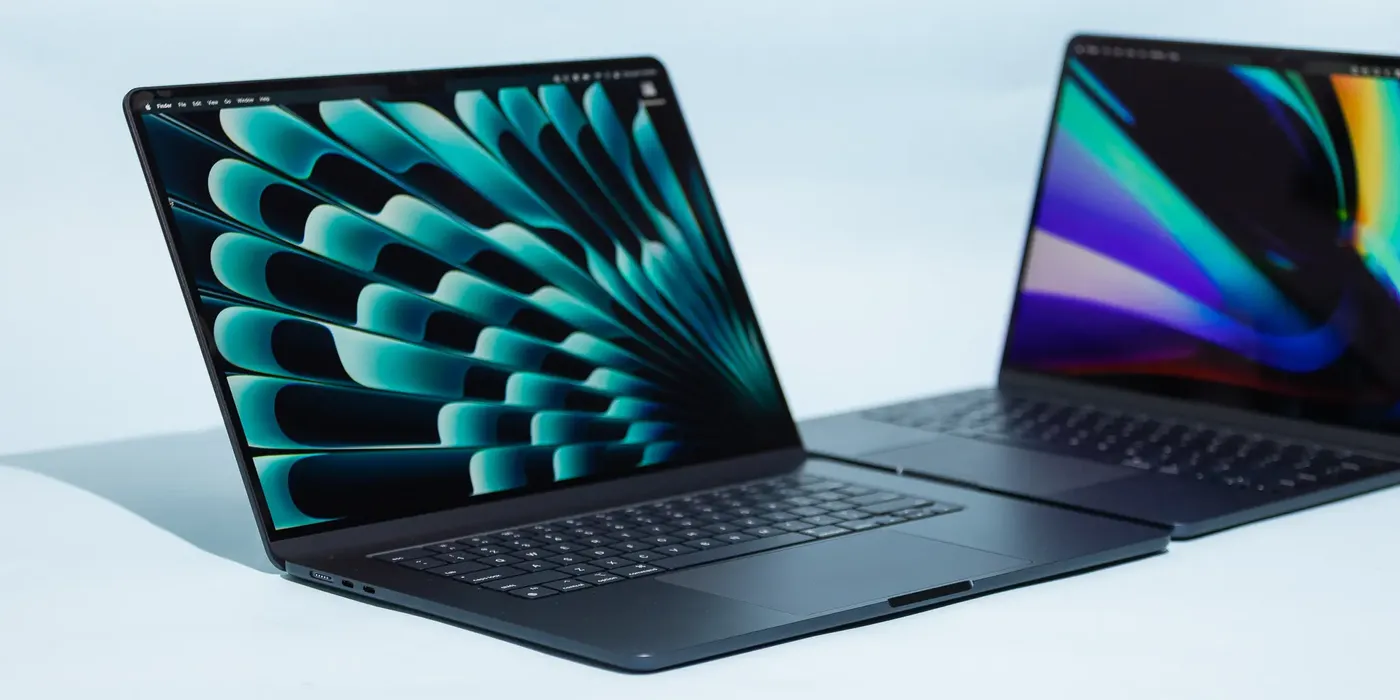
1. MacBook Air M2 (2024) – Best for Most Users
Starting Price: $1,099
The MacBook Air M2 continues to be one of the best value options for most users in 2024. Sleek, lightweight, and impressively powerful, it offers a perfect balance between performance and portability. Powered by Apple’s M2 chip, it delivers fantastic performance for everyday tasks like web browsing, word processing, streaming, and even light photo and video editing.
Key Features:
- 13.6-inch Liquid Retina display
- Apple M2 chip with 8-core CPU and up to 10-core GPU
- 18-hour battery life
- Super lightweight (just 2.7 pounds)
- Fanless design for silent operation
Who Should Buy It?If you need a capable laptop for daily tasks, schoolwork, or light creative work without paying for the Pro models’ extra horsepower, the MacBook Air M2 is the perfect choice. It’s excellent for students, office workers, and travelers looking for a powerful, portable machine at a relatively affordable price.
2. MacBook Pro 14-Inch M2 Pro (2024) – Best for Power Users
Starting Price: $1,999
For users who need more power and are willing to invest a bit more, the 14-inch MacBook Pro with the M2 Pro chip is the best option for the money in 2024. This model is built for power users who need a machine capable of handling more demanding tasks like software development, video editing, 3D rendering, and heavy multitasking.
Key Features:
- 14.2-inch Liquid Retina XDR display (mini-LED, 120Hz ProMotion)
- Apple M2 Pro or M2 Max chip with up to 12-core CPU and 38-core GPU
- Up to 18 hours of battery life
- MagSafe charging and more ports (HDMI, SD card reader)
- Active cooling system for sustained high performance
Who Should Buy It?If you’re a professional content creator, developer, or power user who needs top-tier performance, the 14-inch MacBook Pro M2 Pro provides exceptional power and flexibility without the steep price tag of the highest configurations. It strikes an excellent balance between raw power and portability, making it ideal for creatives and professionals who need serious performance.
3. MacBook Air M1 (2020) – Best Budget Pick
Starting Price: $899 (frequently discounted)
Even in 2024, the MacBook Air M1 remains one of the best budget MacBooks for the money. Although it’s powered by the previous-generation M1 chip, it still packs enough power to handle most everyday tasks with ease. If you’re looking for a reliable and high-quality MacBook without breaking the bank, this is the one to consider.
Key Features:
- 13.3-inch Retina display
- Apple M1 chip with 8-core CPU and 7-core or 8-core GPU
- 18-hour battery life
- Fanless design for quiet operation
- Excellent performance for basic tasks, media consumption, and light creative work
Who Should Buy It?If you’re a student or someone on a tighter budget who still wants the benefits of a MacBook, the MacBook Air M1 offers excellent value. It’s perfect for those who don’t need the latest features or the highest power but want a reliable and fast laptop for everyday use.
4. MacBook Pro 16-Inch M2 Max (2024) – Best for Creative Pros
Starting Price: $3,499
If you’re a high-end creative professional who needs the absolute best performance money can buy, the MacBook Pro 16-inch with the M2 Max chip is the ultimate option. Designed for intensive workflows like 8K video editing, 3D graphics, and machine learning, this laptop is unmatched in raw power. It’s a true desktop replacement in a portable form factor.
Key Features:
- 16.2-inch Liquid Retina XDR display
- Apple M2 Max chip with up to 12-core CPU and 38-core GPU
- Up to 22-hour battery life (depending on configuration)
- Best-in-class speakers, display, and performance for creative work
- Comprehensive port selection including HDMI, SD card reader, Thunderbolt 4
Who Should Buy It?If your work involves heavy-duty tasks such as professional video production, 3D rendering, or complex software development, the MacBook Pro 16-inch M2 Max is the powerhouse you need. It’s perfect for professionals who demand the highest level of performance and are willing to invest in the best tool for the job.
5. MacBook Pro 13-Inch M2 (2024) – Best for Balanced Performance and Portability
Starting Price: $1,299
The MacBook Pro 13-inch M2 strikes a great balance between performance and price. With its M2 chip, it offers more power than the MacBook Air, particularly in sustained workloads thanks to its active cooling system. It’s an excellent choice for users who need a little extra power without the bulk of the larger Pro models.
Key Features:
- 13.3-inch Retina display
- Apple M2 chip with 8-core CPU and up to 10-core GPU
- 20-hour battery life
- Active cooling for sustained performance
- Compact and lightweight
Who Should Buy It?If you need more performance than the MacBook Air but don’t want to jump to the larger or more expensive 14-inch or 16-inch Pro models, the MacBook Pro 13-inch M2 offers the perfect middle ground. It’s great for professionals, creators, and students who need more power for heavier tasks like video editing or coding but still value portability.
Conclusion: Which MacBook Offers the Best Value for You?
In 2024, the MacBook Air M2 stands out as the best option for most people, offering a strong combination of performance, portability, and affordability. For those with more demanding needs, the 14-inch MacBook Pro M2 Pro provides the power and features necessary for creative professionals and developers. Meanwhile, the budget-conscious will still find plenty of value in the older, but capable, MacBook Air M1. And for those who demand the very best performance, the 16-inch MacBook Pro M2 Max remains the king of the hill.
Whichever MacBook you choose, you’ll be investing in a high-quality, reliable machine that offers excellent performance and a long lifespan.
More from the blog

Do Employers Care If You Use a Temporary Phone Number?
If you're job hunting and thinking about using a temporary phone number, one worry usually comes up first: will an employer notice — and if they do, will it hurt my chances?The short answer: most employers don't care whether your number is "temporary," as long as it's a real, working number they can reach you on. What actually matters to them is that they can call, text, and connect with you reliably. Let's break down what employers really look at, when a temporary number is completely fine, and
Read article
Best Temporary Number Services for Online Marketplaces and Apps
Buying, selling, and signing up online almost always means sharing your phone number. Whether you're listing furniture on Facebook Marketplace, meeting a buyer from Craigslist, or verifying a new app account, that number gets passed to strangers you'll likely never deal with again.The problem? Once your real number is out there, you can't control who calls, texts, or resells it. That's exactly why temporary number services have become essential for anyone active on online marketplaces and apps.
Read article
How to Get a Temporary Phone Number for Job Applications
Job hunting means handing your phone number to recruiters, application portals, and companies you've never worked with before. Once it's out there, you can't take it back — and if you're applying to dozens of roles, that's a lot of unknown callers, spam texts, and unwanted follow-ups landing on your personal line.A temporary phone number for job applications solves this. It gives you a dedicated, disposable number that keeps your real one private while you search. Here's how to set one up and wh
Read article